
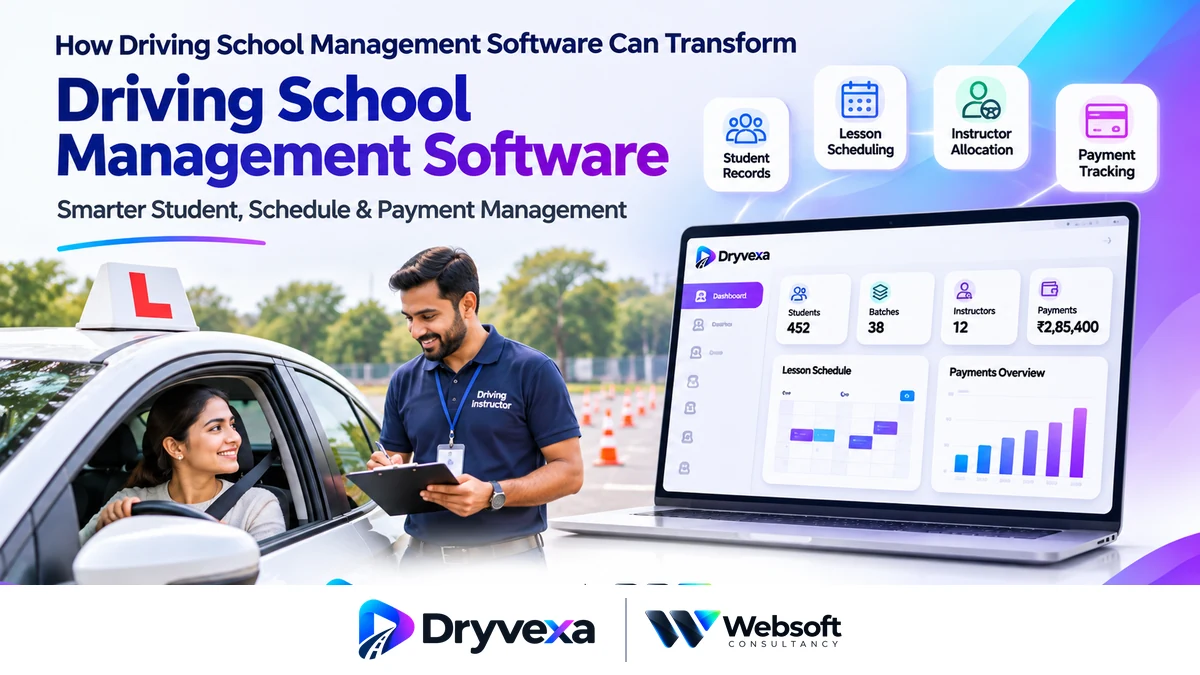
How Driving School Management Software Transforms Operations
Driving School Management Software helps driving schools and driving institutes manage student admissions, courses, training batches, fee collection, payment records, and everyday administrative activities through a centralized digital platform. Instead of depending entirely on paper registers and spreadsheets, driving school owners can use organized software to maintain business information and manage important operations more efficiently.
Running a driving school involves much more than teaching people how to drive. Administrators need to register new students, maintain admission records, organize courses, manage training batches, collect fees, track outstanding payments, and keep business information updated. As the institute grows, handling all these activities manually can become increasingly difficult.
Many driving institutes still depend on notebooks, Excel spreadsheets, phone calls, and separate records to manage their daily operations. Although these methods may work for a small number of students, they can create administrative challenges when the number of admissions, courses, and training activities increases.
This is where a Driving School Management System becomes useful. It brings essential administrative processes together, making it easier to access student information, organize enrollments, maintain payment records, and monitor business activities.
In this complete guide, we will explain what driving school management software is, why driving institutes need it, which features to look for, how it compares with manual management, and how a dedicated solution such as Dryvexa can support driving school operations.
Table of Contents
- Challenges Faced by Driving Schools
- What Is Driving School Management Software?
- Why Do Driving Schools Need Management Software?
- Essential Features of Driving School Management Software
- Benefits of Using Driving School Software
- Manual Management vs Digital Management
- How to Choose the Right Driving School Software
- How Much Does Driving School Management Software Cost?
- Is Driving School Management Software Worth It?
- Dryvexa – Driving School Management Software
- Frequently Asked Questions
- Conclusion
- About Websoft Consultancy
Challenges Faced by Driving Schools in Managing Daily Operations
Driving institutes handle several interconnected activities every day. These include student registration, admission processing, course allocation, training coordination, fee collection, and record maintenance.
When these processes are managed separately, administrators may spend a significant amount of time searching for information, updating records, and coordinating routine activities.
Understanding these challenges is the first step towards improving driving school management.
1. Managing Student Information
Every driving school needs to maintain student names, contact details, admission information, course selections, and other relevant records.
When student information is stored in different registers or spreadsheets, finding the latest details can become difficult. Duplicate entries, missing information, and inconsistent records can also create administrative problems.
2. Managing Admissions and Enrollments
Student admission is an important business activity. Administrators need to collect student details, select the appropriate course, record the agreed fees, and maintain enrollment information.
Without a structured process, the same information may need to be entered multiple times. This can increase administrative effort and make it harder to review admission history.
3. Organizing Courses and Training Batches
Driving schools may offer different courses based on vehicle categories, training requirements, course duration, and pricing.
Managing course details and assigning students to appropriate batches requires organized records. When this information is scattered, administrators may find it difficult to monitor enrollments and batch status.
4. Tracking Fees and Outstanding Payments
Many driving institutes accept full payments as well as installments. Administrators therefore need to maintain course fees, discounts, amounts received, payment dates, and outstanding balances.
Manual calculations and separate payment registers can make it difficult to review a student's complete payment history or identify pending balances.
5. Maintaining Accurate Business Records
Business owners need access to reliable information about admissions, students, courses, and payments. If the information is maintained in different files, preparing reports and reviewing business activity may require additional effort.
A centralized management approach can help reduce this fragmentation and make important information easier to access.
What Is Driving School Management Software?
Driving School Management Software is a specialized digital application designed to help driving schools and training institutes manage their administrative and business activities.
It provides a centralized workspace where authorized users can maintain student information, manage admissions, organize courses and batches, record payments, and access relevant business information.
Depending on the software provider and subscription plan, a driving institute management system may include features such as:
- Student Management: Maintain student profiles and contact information.
- Admission Management: Record student admissions and enrollment details.
- Course Management: Organize training courses, packages, and fees.
- Batch Management: Organize students into training batches and monitor batch status.
- Instructor Management: Maintain instructor details and availability, where supported.
- Lesson Scheduling: Organize lesson appointments and training schedules, where supported.
- Vehicle Management: Maintain vehicle information and related records, where supported.
- Fee Management: Track course fees, discounts, and payment information.
- Reports and Dashboard: Review important business and operational information.
- Multi-Branch Management: Manage multiple institute locations, where supported.
Not every software platform provides all these capabilities. Before choosing a solution, driving school owners should check which features are actually included in the product and subscription plan.
The primary purpose of driving school software is to make administrative work more structured, improve access to business information, and reduce dependence on disconnected manual records.
Why Do Driving Schools Need Management Software?
As a driving school grows, its administrative responsibilities often increase. More students mean more admission records, course enrollments, payment transactions, and information to maintain.
Using separate registers and spreadsheets for every activity can make it harder to keep records consistent. A centralized digital system provides a more organized way to manage these responsibilities.
Manage Growing Student Records
A digital system helps maintain student information in a structured format. Administrators can access relevant records without searching through multiple registers or files.
Organize the Admission Process
Admission details, selected courses, enrollment information, and fee records can be maintained through an organized process. This makes it easier to review student admissions and retrieve information when needed.
Keep Course and Batch Information Organized
Driving schools can maintain course details and organize student enrollments into appropriate batches. This helps administrators monitor training groups and maintain clearer records.
Improve Payment Record Management
Payment tracking helps administrators review the total course fee, amount received, and remaining balance. It also provides a more convenient way to review previous transactions.
Access Business Information More Easily
Dashboards and reports can provide an overview of important business activities. This information can help owners understand admissions, payment activity, and other administrative details.
Essential Features of Driving School Management Software
When evaluating driving school software, it is important to look beyond the product name. The right platform should support the actual administrative requirements of your institute.
Here are the key features to consider.
1. Student Management
Student management is one of the most important components of a driving school management system.
It should provide an organized way to maintain student profiles, contact details, and other relevant information. Administrators should be able to find and review student records without unnecessary manual searching.
2. Admission Management
Admission management helps organize the process of registering new students and recording their enrollment details.
Look for a system that can maintain admission dates, selected courses, fee information, and student-related records together.
3. Course Management
Course management allows driving institutes to maintain their training offerings, course descriptions, packages, and fee information.
This is particularly useful for institutes offering different types of driving courses or training packages.
4. Batch Management
Batch management helps organize students into training groups. Administrators should be able to maintain batch information, associate students with batches, and review the current status of training groups.
For institutes operating multiple training batches, this feature can make enrollment administration more organized.
5. Fee and Payment Management
Payment management should allow administrators to maintain course fees, discounts, payments received, and outstanding balances.
For example, if a student pays a course fee in two installments, the system should make it easy to review the total fee, previous payments, and remaining amount.
6. Reports and Dashboard
Reports and dashboards help business owners review important administrative information without manually compiling every record.
Depending on the platform, these may include admission information, payment summaries, enrollment activity, and other business indicators.
7. Multi-Branch Management
Driving school businesses operating from multiple locations may need a centralized way to manage branch-related information.
If your business plans to expand, check whether the software offers multi-branch functionality and whether it is included in your chosen subscription plan.
8. User Access and Technical Support
For institutes with multiple administrators, it is important to understand how the platform handles user access and permissions.
Also evaluate the provider's technical support, updates, data backup arrangements, and assistance with implementation.
Benefits of Using Driving School Management Software
Implementing a suitable Driving School Management System can improve how a driving institute handles its administrative responsibilities. The benefits depend on the software's capabilities and how effectively the institute uses the platform.
1. Centralized Business Information
One of the main advantages of driving school software is the ability to maintain important business information in one place.
Instead of switching between separate registers and spreadsheets, administrators can access student, admission, course, batch, and payment information through an organized system.
2. More Organized Student Admissions
A structured admission process helps reduce confusion when registering new students. Administrators can maintain enrollment details and related information in a consistent format.
This also makes it easier to review previous admissions and retrieve student information when required.
3. Easier Course and Batch Administration
Managing multiple courses and batches can become difficult when records are maintained separately. Digital course and batch management provides a more organized way to maintain training information and student enrollments.
4. Better Payment Visibility
Organized payment records help administrators understand which fees have been received and which amounts remain outstanding.
For example, when a student makes a partial payment, administrators can review the payment history and remaining balance without manually checking multiple records.
5. Reduced Dependence on Paper Records
Digital records can reduce the need to maintain multiple paper registers for everyday administrative activities.
However, institutes should still maintain appropriate data backup practices and follow their data protection responsibilities.
6. Improved Access to Business Reports
Reporting features can make it easier to review admissions, payments, and other available business information.
Having organized information helps owners monitor important activities and make decisions based on more accessible records.
7. Support for Business Growth
As student numbers and administrative responsibilities increase, a structured management process becomes more important.
Choosing software that can support your current requirements and future expansion can help avoid repeatedly changing administrative systems as the business grows.
Manual Driving School Management vs Digital Management
Many driving institutes begin with paper registers, notebooks, and spreadsheets. These methods can be practical for a small operation, but managing increasing numbers of students and transactions may become difficult over time.
A digital management platform provides a centralized way to maintain and retrieve business information.
Comparison of Manual and Digital Management
| Management Activity | Manual Process | Digital Process |
|---|---|---|
| Student records | Paper registers and spreadsheets | Centralized student profiles |
| Admissions | Separate admission records | Organized enrollment information |
| Courses | Manually maintained course details | Structured course records |
| Training batches | Separate batch registers | Organized batch information |
| Payments | Manual calculations and registers | Digital payment records |
| Reports | Manually prepared summaries | Available dashboard and reports |
| Business expansion | More separate records to maintain | Can support structured growth, depending on the plan |
The right approach depends on the size and requirements of the institute. A digital system is particularly useful when administrators need consistent information across multiple activities.
How to Choose the Right Driving School Management Software
Selecting the right driving school software requires understanding your institute's operational requirements. A platform that works for a small driving school may not provide everything required by a larger institute.
Before selecting a solution, evaluate the following factors.
1. Identify Your Business Requirements
Start by identifying the administrative activities that take the most time. These may include student registration, admission processing, course management, batch organization, payment tracking, or report preparation.
Choose software that addresses your most important requirements instead of paying for features your institute may not need.
2. Check Student and Admission Features
Review how the software handles student profiles, admission records, enrollment information, and related details. These are essential functions for most driving institutes.
3. Evaluate Course and Batch Management
Check whether the platform supports your course structure, training packages, fees, and batch management requirements.
4. Review Payment Management
Make sure the software can maintain the payment information your business requires, including course fees, discounts, received payments, and outstanding balances.
5. Understand Reporting Capabilities
Look at the available dashboards and reports. They should provide information that is useful for monitoring your institute's operations.
6. Consider Future Growth
If you plan to increase student numbers or open additional branches, check whether the software can support those requirements. Review the features included in each subscription plan.
7. Check Pricing and Subscription Terms
Compare subscription prices, billing frequency, user limits, branch limits, support arrangements, and any additional charges. Make sure you understand what is included before purchasing.
8. Evaluate Support and Product Demonstrations
Before making a decision, review the provider's support arrangements and request a product demonstration when available. A demonstration can help you understand the interface and see how the software handles your everyday administrative activities.
The best driving institute management software is the one that fits your actual business processes, budget, and future requirements.
How Much Does Driving School Management Software Cost?
The cost of driving school management software varies depending on the product, available features, number of users, subscription model, and level of support.
Some providers offer basic plans for smaller driving schools, while more comprehensive plans may include additional capabilities such as multi-branch management, advanced reporting, or expanded user access.
When comparing software prices, consider more than the initial subscription amount.
- Features included: Check which management functions are available in the selected plan.
- Subscription period: Compare monthly and annual billing options where available.
- Number of users: Check whether the subscription limits administrator or staff accounts.
- Branch management: Confirm whether multiple locations are supported and which plan includes this feature.
- Technical support: Understand the support and update arrangements.
- Data management: Review available backup and data access arrangements.
A suitable solution should provide useful business value without introducing unnecessary complexity or costs.
Driving school owners should compare the available features and subscription conditions before choosing a platform.
Is Driving School Management Software Worth It?
For driving institutes managing multiple students, courses, batches, and payment records, digital management software can be a valuable operational investment.
It can help replace disconnected administrative records with a more structured system, making important business information easier to maintain and access.
However, the right solution depends on the institute's size and requirements.
A smaller driving school may initially need student, admission, course, batch, and payment management. A larger organization may require additional features for managing multiple locations and more complex administrative workflows.
Before investing in software, identify your current challenges, compare available solutions, and evaluate whether the features offered will genuinely support your business.
The objective should not simply be to replace paper registers with software. It should be to create a more organized and manageable operating process that can support the institute as it grows.
Dryvexa – Driving School Management Software by Websoft Consultancy
Choosing the right software is an important step towards organizing a driving institute's administrative operations. For driving school owners looking for a centralized solution, Dryvexa provides dedicated tools for managing important driving school activities.
Developed by Websoft Consultancy, Dryvexa is a Driving School Management Software designed to help driving school owners and administrators organize student admissions, courses, batches, fees, and payment records through a centralized platform.
Rather than maintaining disconnected records across multiple registers and spreadsheets, driving institutes can use Dryvexa to maintain important administrative information in an organized digital workspace.
Key Features of Dryvexa
Dryvexa focuses on essential management requirements for driving institutes. Its key capabilities include:
Student Management
Maintain organized student profiles and contact information. Administrators can access relevant student details and manage student records through a centralized system.
Admission Management
Manage student admission information, enrollment details, selected courses, and related records. This helps create a more structured admission process.
Course Management
Organize driving courses, training packages, and course fee information. Course management provides administrators with a centralized way to maintain the institute's training offerings.
Batch Management
Organize training batches, manage student enrollments, and monitor batch status. This helps administrators maintain clearer records of their training groups.
Fee and Payment Management
Track course fees, discounts, payments received, outstanding balances, and payment history. Organized payment information makes it easier to review student accounts and maintain financial records.
Dashboard and Business Reports
Access dashboard information and reports to review admissions, student activity, and payment records. These insights can help driving school owners monitor important administrative activities.
Multi-Branch Management
For institutes operating across multiple locations, Dryvexa's Business plan includes multi-branch management capabilities. This supports eligible businesses that need to manage branch-related operations through a centralized platform.
Who Should Consider Dryvexa?
Dryvexa is designed for driving training businesses that want to organize their administrative activities, including:
- Independent driving schools managing student admissions.
- Driving institutes handling multiple courses and batches.
- Training centres that need organized fee and payment records.
- Growing driving school businesses looking for centralized management.
- Multi-branch driving institutes requiring organized branch management.
Explore Dryvexa for Your Driving Institute
If you want to move beyond manual registers and disconnected spreadsheets, explore Dryvexa – Driving School Management Software.
Visit the official Dryvexa website to explore the product, available subscription plans, features, and demo options.
DRYVEXA · DRIVING SCHOOL SOFTWARE
Simplify Your Driving School Management
Manage student admissions, courses, batches, and payments through one centralized driving school management platform.
Student Management | Admission Management | Batch Management | Payment Tracking
Explore DryvexaDiscover the features and available demo options.
Frequently Asked Questions About Driving School Management Software
Here are answers to common questions about driving school management systems and their use in driving institutes.
1. What is driving school management software?
Driving school management software is a digital platform that helps driving institutes manage student records, admissions, courses, batches, payments, and other administrative activities through a centralized system.
2. Why do driving schools need management software?
It helps driving schools organize student information, maintain admission records, manage courses and batches, track payments, and access business information more conveniently.
3. What are the important features of driving school software?
Important features may include student management, admission management, course management, batch management, fee tracking, payment records, reporting, and multi-branch management. Additional capabilities vary between providers.
4. Can driving school management software track student payments?
Many driving school management platforms provide payment management features for recording course fees, discounts, received payments, outstanding balances, and payment histories.
5. Is driving school software suitable for small driving institutes?
Yes. Small institutes can use driving school software to organize student admissions, courses, batches, and payment records. The best choice depends on the institute's requirements and budget.
6. What is the difference between driving school software and driving school ERP?
Driving school software generally focuses on managing the administrative activities of a driving institute. Driving school ERP is often used to describe a broader system that may combine multiple business functions. The actual difference depends on the features provided by each software platform.
7. Can driving school software manage multiple branches?
Some platforms provide multi-branch management, allowing eligible businesses to organize operations across different locations. Check the provider's subscription plans to confirm whether this feature is included.
8. Who developed Dryvexa driving school software?
Dryvexa is a driving school management software product developed by Websoft Consultancy, a web design and software development company based in India.
Conclusion: Choose the Right Driving School Management Software
Managing a driving institute involves several important responsibilities, including student admissions, course management, batch organization, payment tracking, and maintaining accurate business records.
While traditional methods may be sufficient for smaller operations, they can become difficult to maintain as student numbers and administrative requirements increase. A suitable Driving School Management Software can provide a more organized approach to managing these activities.
Before selecting a platform, identify your institute's requirements, evaluate the available features, compare subscription plans, and consider your future business needs.
For driving institutes looking to manage student admissions, courses, batches, and payments through a centralized platform, Dryvexa, developed by Websoft Consultancy, is worth exploring.
About Websoft Consultancy
Websoft Consultancy is a web design and software development company providing digital solutions for businesses. Its services include website design and development, e-commerce solutions, and custom business software.
Through products such as Dryvexa, Websoft Consultancy develops practical digital solutions designed to address business management requirements and help organizations improve their operations.
To learn more about the company and its services, visit the Websoft Consultancy website.


Leave a Reply